:quality(75))
ShootProof Review 2026: A Complete Guide to Key Features (+ Alternative for Photographers)
In this Picflow review, we break down what ShootProof offers, where it shines, and where it falls short, so you can decide if it’s the right fit for your photography business.
:quality(75))
Quick Summary
This 2025 ShootProof review covers its core features, pricing plans, and overall usability for photographers. ShootProof is a well-known client gallery and sales platform designed to make image delivery and print sales easier.
Interested in ShootProof for Your Photography Business?
ShootProof is popular among photographers looking for an easy way to deliver client galleries and sell prints. Many photographers choose platforms like ShootProof to streamline their workflow and improve client experience.
At Picflow, we understand the challenges photographers face managing galleries and sales efficiently, which is why we provide smart reviews of platforms like ShootProof, highlighting key information so you can get the best.
This review will help you assess whether ShootProof meets your needs and also offers an alternative that gives you better workflow control and collaboration for your business.
Why Listen to Us?
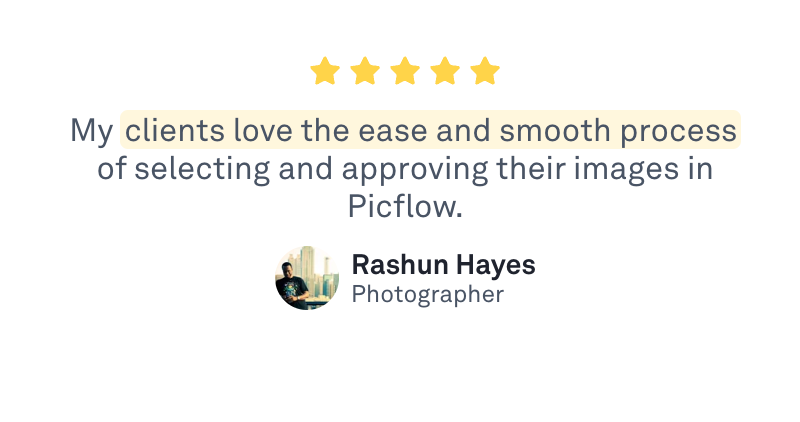
At Picflow, we’re dedicated to empowering photographers with simple, effective tools to organize and beautifully showcase their work. Our experience working closely with creative professionals gives us insight into what features matter most in a client gallery platform. This review is based on thorough research and real-world feedback, aimed at helping you make an informed decision about ShootProof for your photography business.
What Is ShootProof?
ShootProof is a photography platform that helps photographers deliver images and sell prints through customizable online galleries. Clients can view, download, and purchase photos securely, while photographers manage orders and payments all in one place. The platform also offers tools for contracts, invoicing, and client communication, simplifying workflow and reducing administrative tasks.
 Designed for wedding, portrait, and event photographers, ShootProof focuses on providing a professional and seamless client experience. Its mobile-friendly galleries, branded interfaces, and integrated marketing features help photographers showcase their work and grow their business efficiently.
Key Features
Customizable Client Galleries: Create branded, mobile-friendly galleries where clients can view and purchase photos easily.
Integrated Print and Product Sales: Sell prints, albums, and digital downloads directly, with built-in tools for order tracking and fulfillment.
Contracts and Invoicing: Manage client agreements, send invoices, and track payments to simplify business administration.
Client Communication Tools: Use automated emails and notifications to keep clients updated from gallery delivery to final purchase.
Marketing Automation: Run promotions, offer discounts, and follow up with clients to boost sales and repeat bookings.
Mobile App Access: Access galleries and manage sales on the go with dedicated apps for both photographers and clients.
Secure Image Delivery: Protect your work with password-protected galleries, watermarks, and controlled download options.
What We Like
Intuitive User Interface: ShootProof’s platform is straightforward and clean, making it easy for photographers to set up galleries and manage sales without a steep learning curve. Clients also find it simple to browse and purchase images, which improves overall satisfaction.
Comprehensive Sales Tools: The built-in system for selling prints, digital downloads, and other products eliminates the need for third-party vendors. This all-in-one approach simplifies order processing and payment tracking, helping photographers increase revenue effortlessly.
Customizable Galleries with Branding: Galleries can be customized with your logo, colors, and style to match your brand. This not only creates a consistent look but also adds a professional touch that impresses clients.
Responsive and Helpful Support: ShootProof offers solid customer support via email and chat, with detailed guides and tutorials. Users often report timely responses and knowledgeable assistance that help resolve issues quickly.
Mobile App Access: Dedicated apps for both photographers and clients make it easy to view galleries, manage sales, and interact from anywhere, ideal for busy schedules and on-the-go client engagement.
What We Don’t Like
Complex Pricing Structure: ShootProof offers several pricing plans with various features and limits, plus optional add-ons that can quickly increase monthly costs. This complexity can make it difficult for photographers to estimate their total expenses upfront or choose the best plan for their needs.
No Built-In Editing Tools: Unlike some platforms, ShootProof focuses on delivery and sales but does not include editing tools. Photographers must rely on external software for image adjustments before uploading, adding extra workflow steps.
Limited Gallery Design Flexibility: While ShootProof lets photographers brand their galleries, its layout options feel somewhat rigid. Those seeking full creative control over image arrangement and presentation may find the platform limiting, especially when aiming to match a specific artistic vision.
Occasional Performance Lags: Large galleries with hundreds of images can sometimes load slowly, impacting the browsing experience for clients. This can be a concern for photographers handling high-volume shoots or commercial projects.
Fewer Third-Party Integrations: ShootProof offers basic integrations, but compatibility with marketing, CRM, and editing tools is more limited than some competitors. This can reduce automation possibilities for photographers aiming to streamline workflows and fully connect their tech stack.
A Better Alternative: Picflow
 Managing photography workflows can get messy when galleries, sales, and client communication live on separate platforms. Fragmented tools, inconsistent client experiences, and manual processes often slow down business.
Picflow solves this with a unified platform designed to streamline photo management and client collaboration. It centralizes gallery delivery, asset organization, and workflow automation in one easy-to-use platform. With Picflow, photographers gain real-time visibility over their projects, improve client interactions, and reduce administrative overhead.
By integrating key workflow features into a single platform, Picflow helps photographers save time and focus more on creativity and client relationships. For photographers looking to complement or upgrade from platforms like ShootProof, Picflow offers a modern, flexible alternative.
Key Features
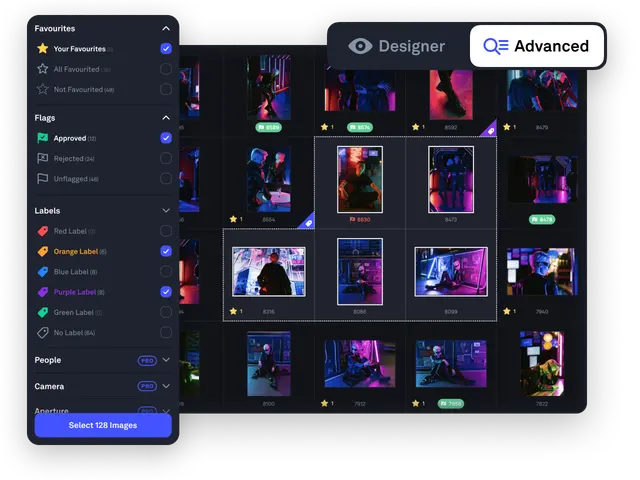
Centralized Photo Management: Picflow stores and manages all your photo assets in one organized platform, letting you tag, search, and locate images quickly. No more digging through scattered folders, drives, or multiple storage systems when you need a photo.
Customizable Client Galleries: Picflow lets you create branded, mobile-friendly galleries with customizable layouts that reflect your style. Clients can browse, download, or purchase photos seamlessly from any device, ensuring a polished viewing experience that works perfectly on phones, tablets, or desktops.
Automated Workflow Tracking: Picflow tracks project progress with real-time updates, allowing you to assign tasks, set deadlines, and monitor each step. This keeps photographers, editors, and clients aligned seamlessly. It also reduces back-and-forth and ensures smooth collaboration throughout every project phase.
Collaborative Review and Approval: Clients and team members can comment directly on photos within the platform, streamlining feedback and speeding up the approval process. This reduces email clutter and keeps all communication tied to the relevant images.
Seamless Integration: Picflow integrates with popular tools and services photographers already use, such as Lightroom and Zapier, allowing for a smooth transition into existing workflows without disruption.
Mobile Access: Picflow’s mobile-friendly design and dedicated apps let you easily manage your projects and share beautifully branded galleries anytime, anywhere. Keeping you connected and responsive whether you’re in the studio or on the move.
Robust Security and Privacy Controls: Protect your work with customizable permission settings, watermarks, and secure sharing options.Picflow ensures your images remain safe and client confidentiality is maintained.
Analytics and Reporting: Picflow shows which images get the most views and downloads, helping you understand what clients like and guiding smarter decisions for future photo shoots and marketing efforts.
Pricing
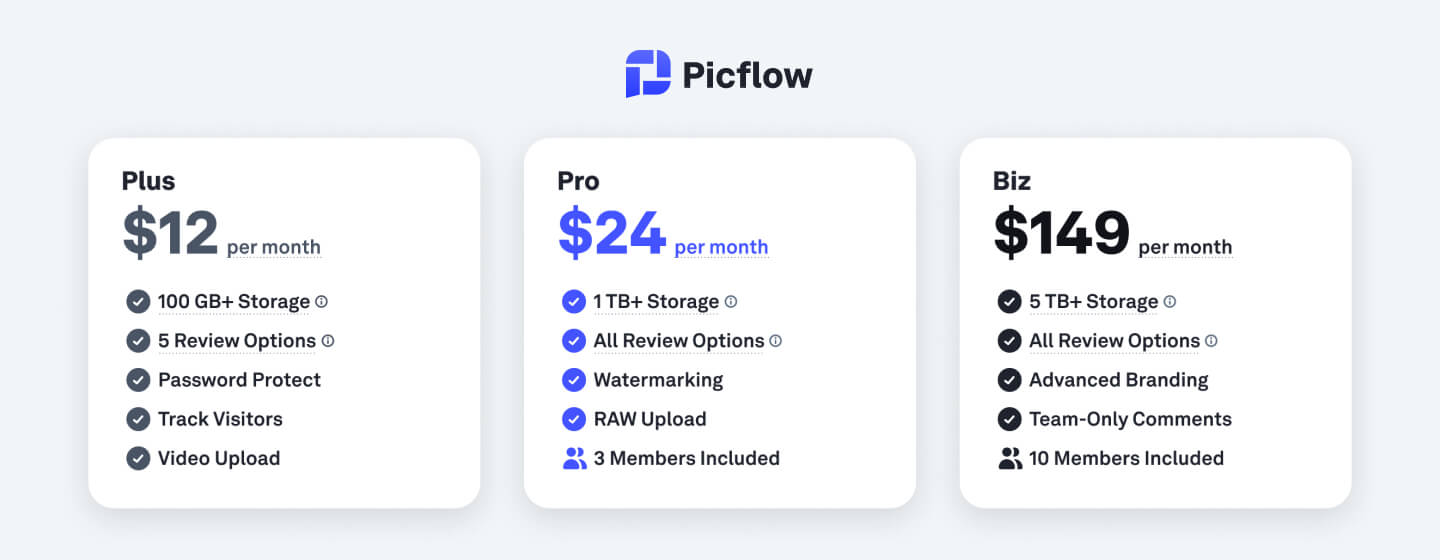 Picflow offers affordable plans tailored to your level of expertise and needs, plus annual billing reduces monthly costs by 25% across paid plans.
Free Plan: $0/month — Includes 2 GB of storage, up to 4 review tools, 1 team member, unlimited galleries, and password protection. Ideal for photographers just starting out or with light usage.
Plus Plan: $12/month — Offers 100 GB storage, 5 review tools, 1 team member, full HD video support, and customizable branding options. Suitable for growing photography businesses needing more storage and polish.
Pro Plan: $18/month — Provides over 1 TB storage, all review tools, 2 team members, watermarking, support for RAW and 4K HDR videos, plus version history. Great for professional photographers requiring advanced features.
Biz Plan: $149/month — Includes 5 TB+ storage, all review tools, up to 10 team members, team-only comments, and priority customer support. Designed for larger teams and studios needing collaboration and dedicated assistance.
Enterprise Plan: Custom pricing — Offers scalable storage, features, and team size with bespoke security and support options. Best for enterprises with complex, high-volume needs.
How to Use Picflow
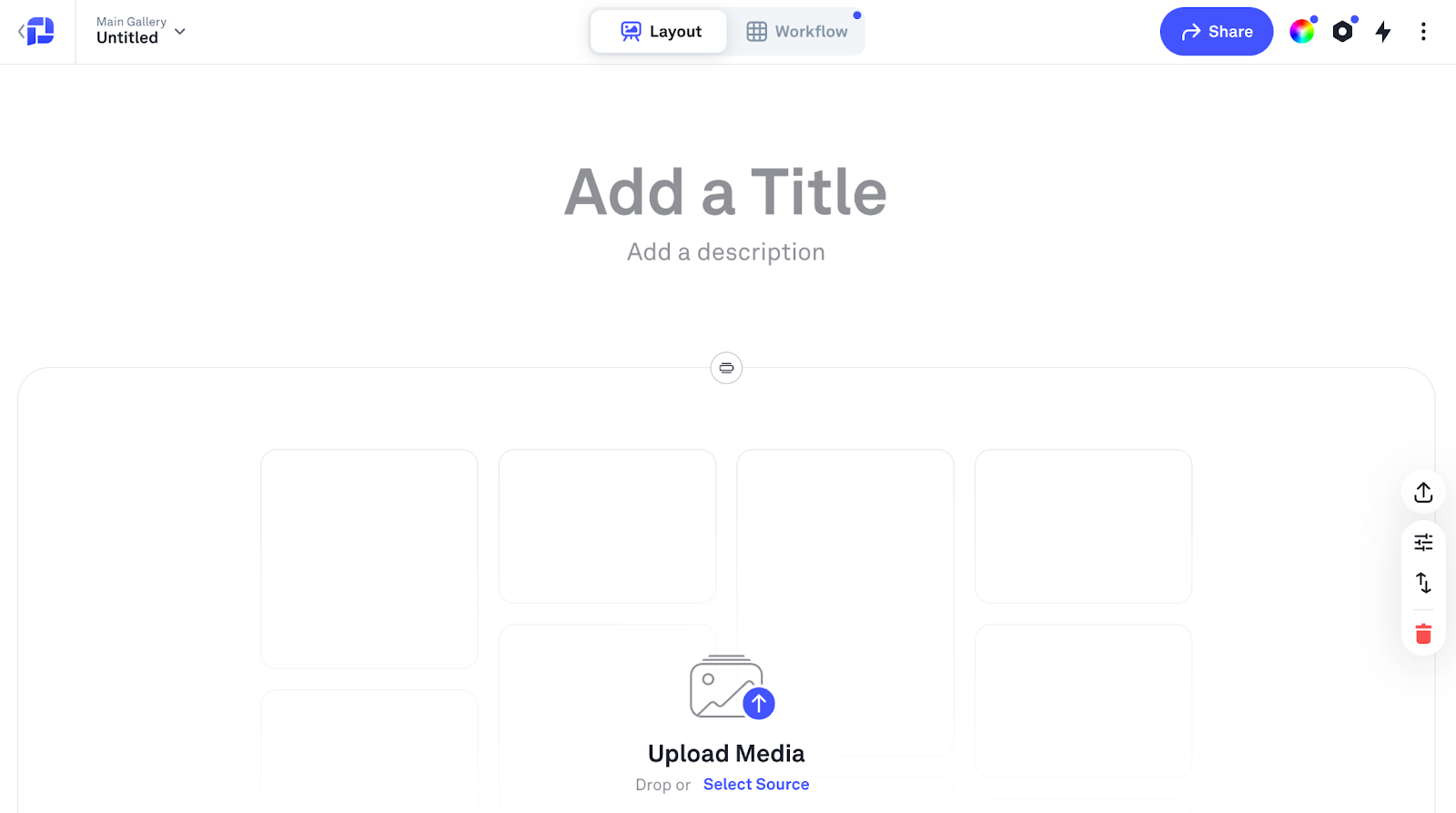
Set Up Your Account and Upload Photos
Start by creating a Picflow account and selecting the plan that fits your needs. Once logged in, you can upload your photo assets directly to the platform. Picflow supports bulk uploads and organizes files automatically, allowing you to tag, categorize, and add metadata to keep your library well-structured from the start.
Organize and Manage Your Projects: Use Picflow’s user-friendly interface to create projects or client folders. Assign photos to specific projects and set deadlines or milestones for workflow tracking. You can invite team members or collaborators, assigning roles and permissions to control access and streamline cooperation.
Create Customizable Client Galleries: Build branded galleries tailored to each client’s style and preferences. Customize gallery layouts, colors, and logos to provide a professional and consistent experience. Galleries are mobile-friendly and support multiple file formats, including RAW and high-resolution images.
Share Galleries Securely with Clients: Share galleries through secure links with password protection and customizable expiration dates. Clients can easily browse images, download selected files, or place print orders if integrated. Picflow keeps your work safe while giving clients convenient access.
Collaborate with Clients and Teams: Enable commenting and review features directly within galleries for efficient client feedback. Photographers, editors, and clients can leave notes on images, reducing email back-and-forth and centralizing all communication. Version history helps track changes and approvals seamlessly.
Automate Workflow and Notifications: Set up automated reminders and notifications for project milestones, client approvals, and new uploads using Picflow. This automation helps you stay ahead of deadlines, maintain smooth communication, and consistently boost productivity and client satisfaction throughout your creative workflow.
Analyze Engagement and Optimize Your Process: Leverage Picflow’s analytics to see how clients interact with your galleries, which photos get the most views or downloads. Use these insights to better understand client preferences and tailor future projects and marketing strategies.
Integrate with Your Existing Tools: Picflow connects effortlessly with popular photography software and cloud services like Adobe Lightroom and Creative Cloud. This seamless integration keeps your editing and delivery workflows synced, saving you time and cutting down on manual tasks.
Why Choose Picflow?
Streamlined Workflow Management: Picflow combines all essential photography tools into a single platform, allowing photographers to efficiently manage photo libraries, client galleries, and project workflows. This unified system saves valuable time and reduces mistakes that often happen when using multiple separate apps.
Flexible Plans That Scale With Your Business: Whether you are a solo photographer just starting or managing a large studio with multiple team members, Picflow offers pricing and feature sets that grow with you. This flexibility means you only pay for what you need and can upgrade smoothly as your workload increases.
Enhanced Client Experience and Collaboration: With fully customizable, branded galleries and intuitive review and approval workflows, Picflow makes it easy for clients to engage with their images. Real-time commenting and streamlined feedback help photographers deliver faster turnarounds and improve client satisfaction.
Strong Security and Privacy Controls: Picflow prioritizes protecting your creative work and client data by offering password-protected galleries, customizable permissions, watermarking options, and secure storage. These features ensure your photos stay safe from unauthorized access and potential misuse.
Reliable, Responsive Customer Support: Picflow offers expert support through chat and email, plus a wide range of tutorials (through Learn Picflow) and FAQs. This ensures you get timely help whenever needed and have the resources to fully utilize all platform features.
Should You Consider Picflow?
Picflow delivers a powerful, easy-to-use platform designed for photographers aiming to simplify workflows and enhance client collaboration. With flexible plans, robust features, and strong security, it meets the needs of solo professionals and growing studios alike.
If you want a centralized solution for photo management, client galleries, and project automation, Picflow is the obvious choice. It will help you save time and streamline your business, making it a smart option worth exploring today.
By choosing Picflow, you invest in a tool designed to save time, reduce administrative tasks, and improve your clients’ experience.
Ready to transform your photography business? Visit Picflow today and start your Free Trial!
:quality(75))
:quality(75))