:quality(75))
We Present the Best Digital Asset Management Software for Creatives
Learn about the top digital asset management (DAM) software for creatives and teams. Compare features, pricing, pros, and cons to find the perfect solution for your workflow.
:quality(75))
Quick Summary
This article highlights the best digital asset management (DAM) platforms for creative professionals. It covers key features, pricing, and unique benefits of each platform, offering valuable insights to help you choose the right tool for managing your digital assets. Visit the Picflow Blog to learn more about streamlining your creative workflow with powerful galleries.
Looking for a Digital Asset Management Software to Simplify Your Workflow?
If you’re a photographer, designer, or part of a fast-moving creative team, you know the chaos that comes with managing tons of images, videos, and design assets.
Between client feedback, revision rounds, and final delivery, keeping track of everything, without slowing down, can feel nearly impossible. We've been there. And we know that traditional file storage solutions just don’t cut it for creative workflows.
In this Picflow article, we’ll share the best digital asset management (DAM) platforms designed to meet your unique creative needs.
But first…
Why Listen to Us?
At Picflow, we’ve helped thousands of creatives, from photographers to marketers, streamline how they share, review, and deliver visual work. Our platform powers countless client collaborations daily, giving us deep insight into what makes digital asset management truly effective. With years of experience in optimizing creative workflows, we’ve seen firsthand the challenges creatives face and the solutions that actually work.
What Is Digital Asset Management Software?
Digital Asset Management (DAM) software is a system that helps businesses store, organize, manage, and retrieve digital assets like images, videos, documents, and other multimedia files. It centralizes and streamlines the workflow by providing a secure, organized repository for these assets.
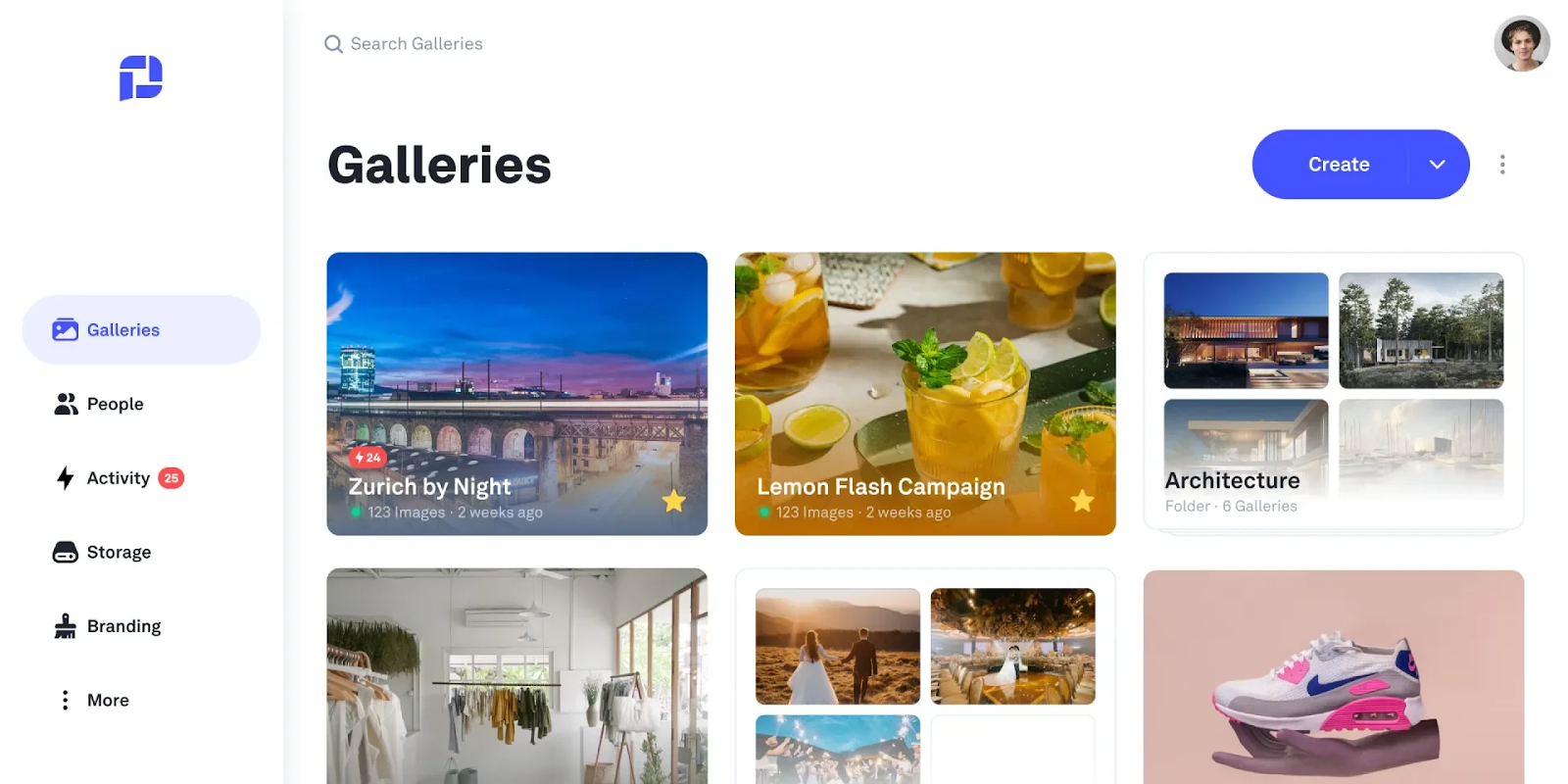 DAM software typically includes features like gallery widgets, metadata tagging, review & approvals, and collaboration tools to improve efficiency, reduce redundancy, and ensure proper usage and licensing of assets.
Picflow, for instance, offers a cloud-based platform that allows teams to upload, categorize, and retrieve assets in just a few clicks. This eliminates the need for countless folders and manual file organization, improving productivity and reducing the risk of misplacing important files.
Why Is Digital Asset Management Software Important?
Efficient Organization: DAM software helps categorize and tag assets, making it easy to find and access files quickly, saving time and preventing loss.
Enhanced Collaboration: With tools for commenting and feedback, like Picflow’s real-time annotations and flags, DAM software improves team collaboration and client communication.
Improved Workflow: Automating tasks like uploading and tagging lets creatives focus on their work instead of administrative duties.
Version Control: DAM software tracks asset versions, ensuring you always have the latest file and reducing mistakes.
Security and Access Control: With features like password protection and user permissions, DAM software ensures secure sharing and access to assets.
Our Top Digital Asset Management Software
Picflow: Best for creative teams needing fast feedback and workflow tools
Bynder: Best for large brands with scalable, AI-powered asset management
Brandfolder: Most user-friendly for smart search and easy organization
Canto: Best for teams needing advanced search and customizable workflows
MediaValet: Best for growing teams needing scalable, secure asset management
Adobe Experience Manager Assets: Best for large enterprises in the Adobe ecosystem
Extensis Portfolio: Most flexible for customizable metadata and secure sharing.
Filecamp: Best affordable option with unlimited users.
Cloudinary: Best for visual storytelling and media optimization.
Wedia: Best for enterprises with multilingual and AI-powered features.
1. Picflow
Picflow is a sleek and intuitive digital asset management (DAM) platform designed specifically for creative professionals. It streamlines the process of image and video proofing, client feedback, and file delivery with customizable galleries and powerful workflow tools.
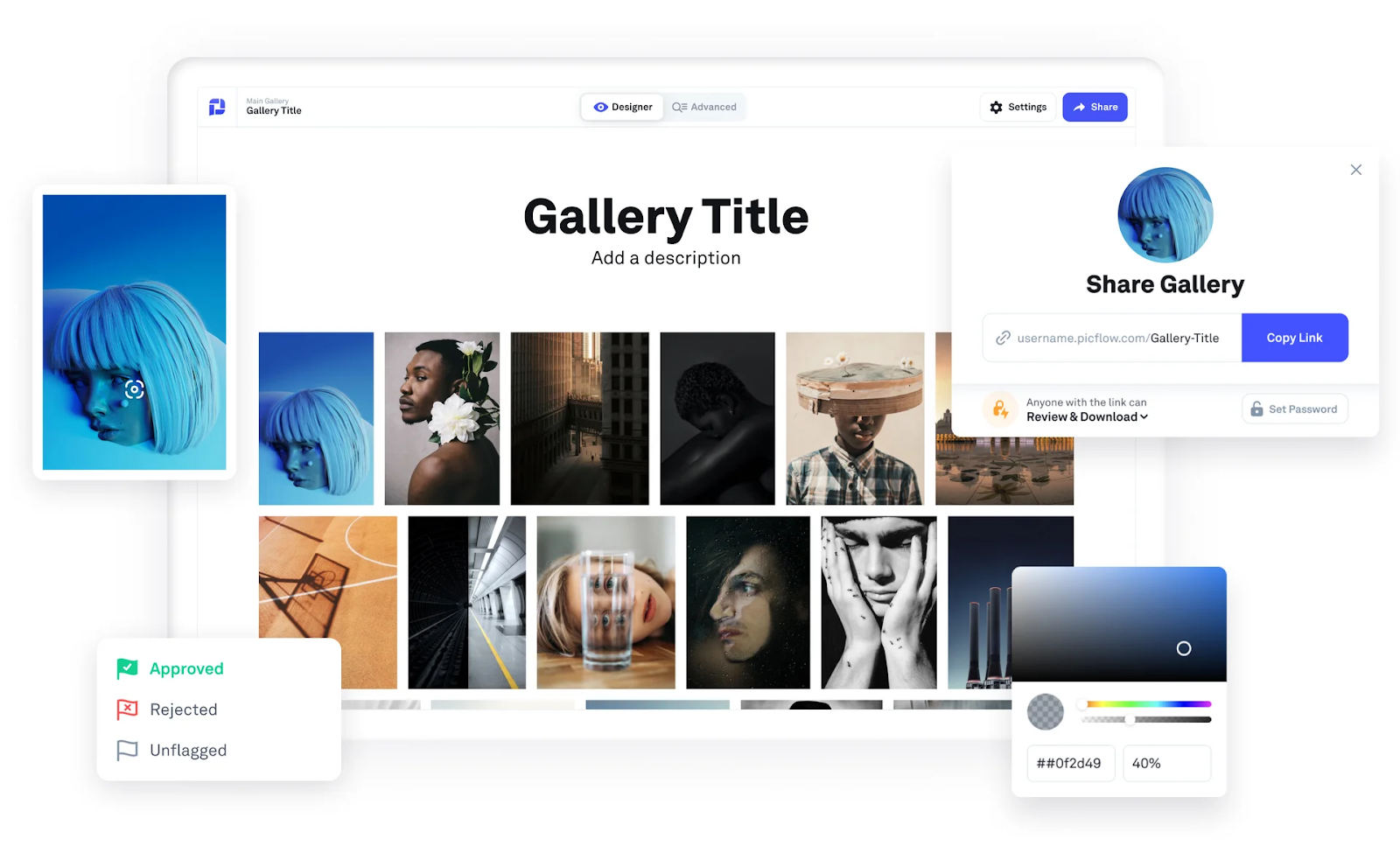 With features like bulk actions, detailed metadata management, version control, and seamless image/video transfer, Picflow helps creative teams stay organized and efficient.
Key Features
Branded Galleries: Create stunning, customizable galleries to showcase and share assets professionally.
Client Review Tools: Enable feedback with favorites, color labels, flags, annotations, and comments.
Workflow Mode: Speed up tasks across your creative workflow with bulk actions, review filters, filename exports, and more.
Version Control: Manage and track revisions by uploading new versions of assets without clutter.
Fast Uploads & Transfers: Unthrottled speeds ensure quick uploads and smooth delivery to clients.
Advanced Permissions: Control access with password protection, link expiration, and visitor identification.
Integrations & Embeds: Import from Dropbox, Drive, and Box, and embed galleries on your website.
Pricing
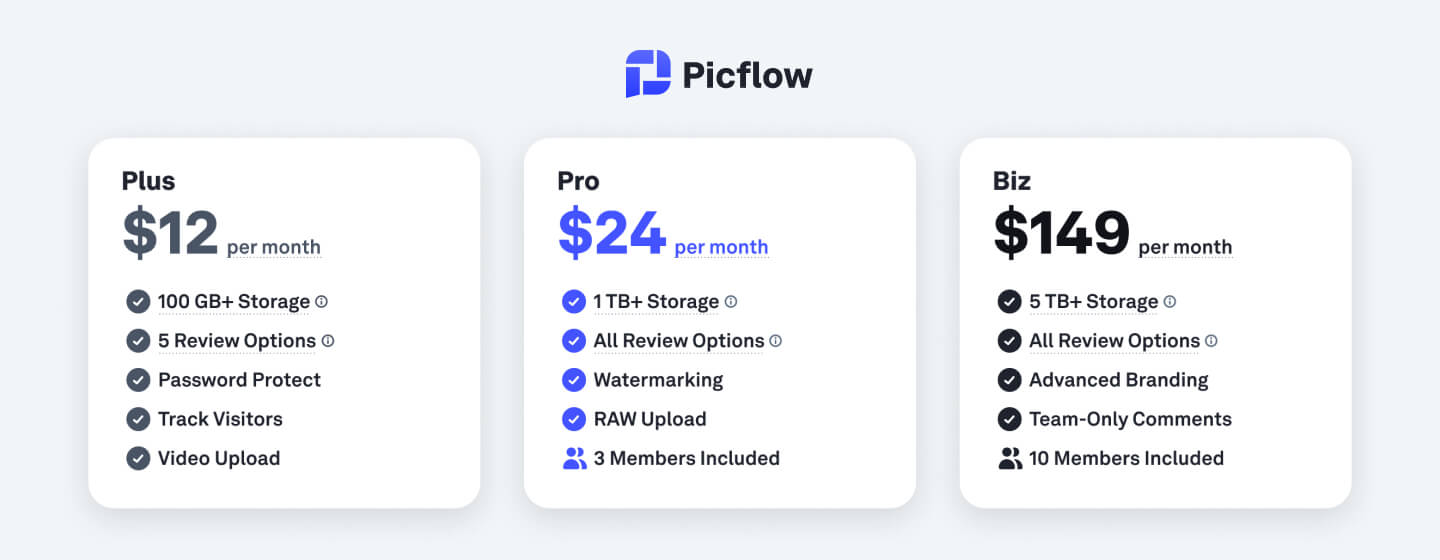 Picflow offers a free plan with essential features and 2 GB of storage. Paid plans start at $12/month, billed annually, scaling with storage, advanced review tools, branding options, and team size.
Pros
Custom galleries elevate client presentation quality
Flexible review tools support complex feedback workflows
Workflow Mode helps manage large projects fast
No speed throttling on uploads or downloads
Easy-to-use with a visually polished interface
Offers free image processing tools like Image & RAW converter
Cons
Video review features are still expanding compared to image tools
2. Bynder
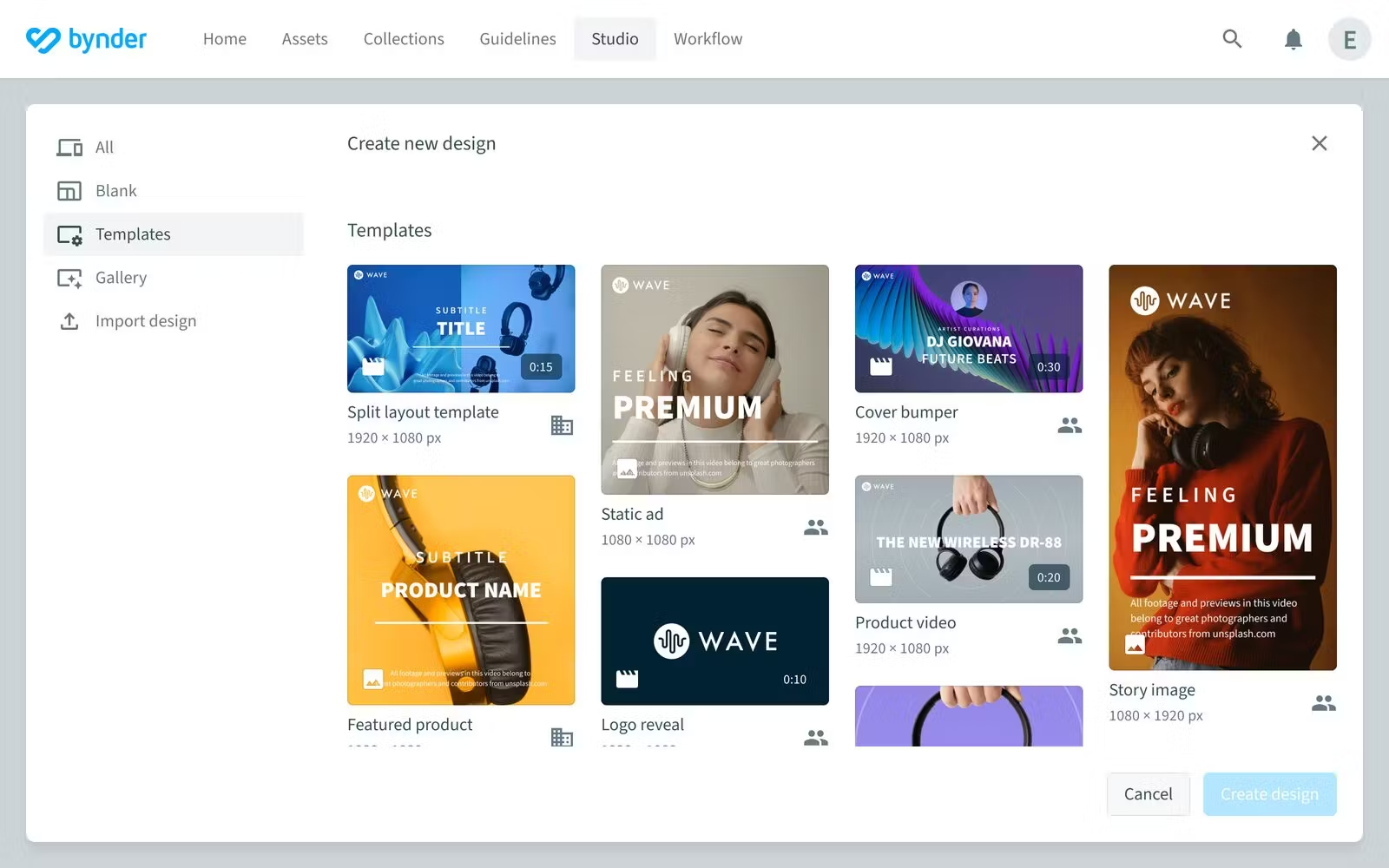
Bynder is a dynamic digital asset management solution built to be the central hub of your marketing ecosystem. Designed for scale and speed, Bynder helps global brands effortlessly organize, secure, and distribute digital content with AI-powered efficiency. From customizable templates to robust permissions and seamless integrations, it keeps teams aligned and brand experiences consistent.
 Key Features
AI-Powered Search: Utilizes AI to enrich metadata, improve discoverability, and eliminate duplicates.
Asset Workflow: Facilitates briefing, proofing, and approval processes for digital assets.
Studio: Enables rapid creation of branded images, videos, and GIFs.
Content Workflow: Supports structured content creation with customizable templates and generative AI.
CX Omnichannel: Automates the delivery of optimized assets across various digital channels.
Analytics: Provides insights into content usage and performance.
Integrations: Offers 130+ integrations, including Adobe Creative Cloud and Microsoft Office.
Pricing
Bynder offers custom pricing based on specific business needs.
Pros
Highly customizable workflows and user roles
Robust AI features enhance asset management efficiency
Strong integration capabilities with existing tech stacks
Excellent onboarding and customer support
Scalable solutions suitable for large enterprises
Comprehensive analytics for informed decision-making.
Cons
Migrating assets and configuring metadata can take longer than expected
Bynder lacks specialized features, such as eCommerce product content syndication
Limitations in notification automation (e.g., for expired assets)
3. Brandfolder
Brandfolder empowers brands to take full control of their creative assets, from 8K video to 3D files, all in one intuitive, AI-augmented platform. With powerful tools for organizing, creating, distributing, and measuring content, Brandfolder eliminates the chaos and keeps your brand consistent and on point.
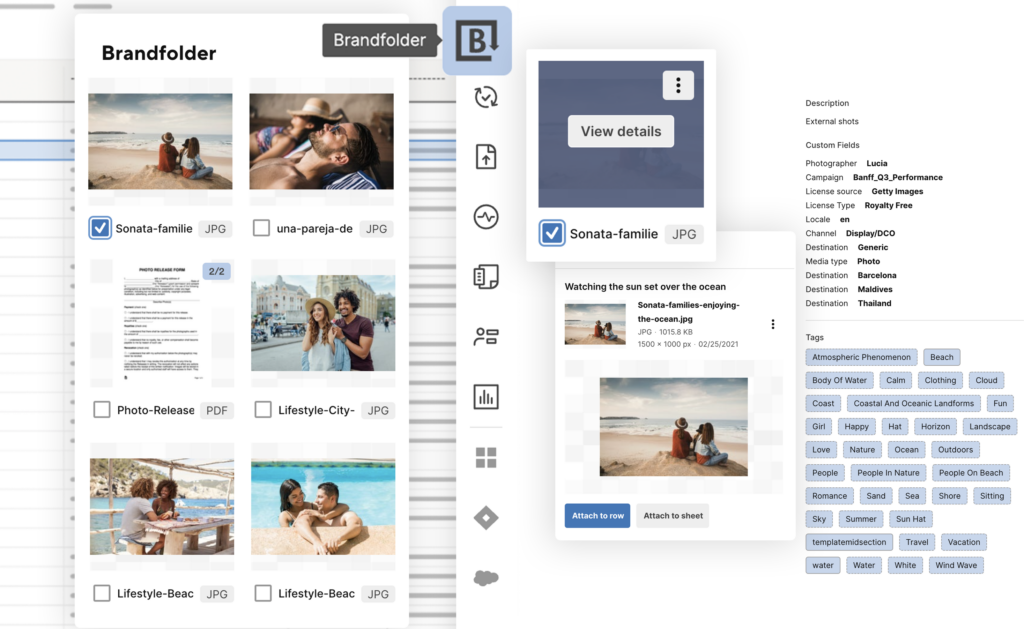 Its smart search, self-service automation, and seamless integrations make it a go-to DAM for top teams who want to move faster, stay on-brand, and make every asset count.
Key Features
AI-Powered Search: Utilizes AI to enrich metadata, improve discoverability, and eliminate duplicates.
Asset Workflow: Facilitates briefing, online proofing, and approval processes for digital assets.
Studio: Enables rapid creation of branded images, videos, and GIFs.
Content Workflow: Supports structured content creation with customizable templates and generative AI.
CX Omnichannel: Automates the delivery of optimized assets across various digital channels.
Analytics: Provides insights into content usage and performance.
Integrations: Offers 130+ integrations, including Adobe Creative Cloud and Microsoft Office.
Pricing
Premium: Ideal for growing teams needing scalable DAM with built-in analytics, bulk management, OCR-powered search, SSO, and advanced video tagging features.
Enterprise: Built for large organizations requiring deeper automation, tighter asset permissions, multi-team control, advanced metadata tools, and custom reporting integrations.
For exact pricing details, you’ll need to book a demo.
Pros
Advanced AI-driven search enhances asset discoverability
Robust analytics provide actionable insights
Extensive integration options streamline workflows
User-friendly interface with intuitive navigation
Customizable branding ensures brand consistency
Efficient onboarding process with dedicated support
Cons
The search functionality can return irrelevant results
Brandfolder does not offer a native mobile application
Built-in reporting tools are insufficient and sometimes difficult to use for gaining deep insights
4. Canto
Canto turns content chaos into streamlined control with its AI-powered digital asset management platform. Designed for teams that want speed, clarity, and collaboration, Canto makes it easy to organize, search, manage, and distribute your digital assets, all in one secure hub.
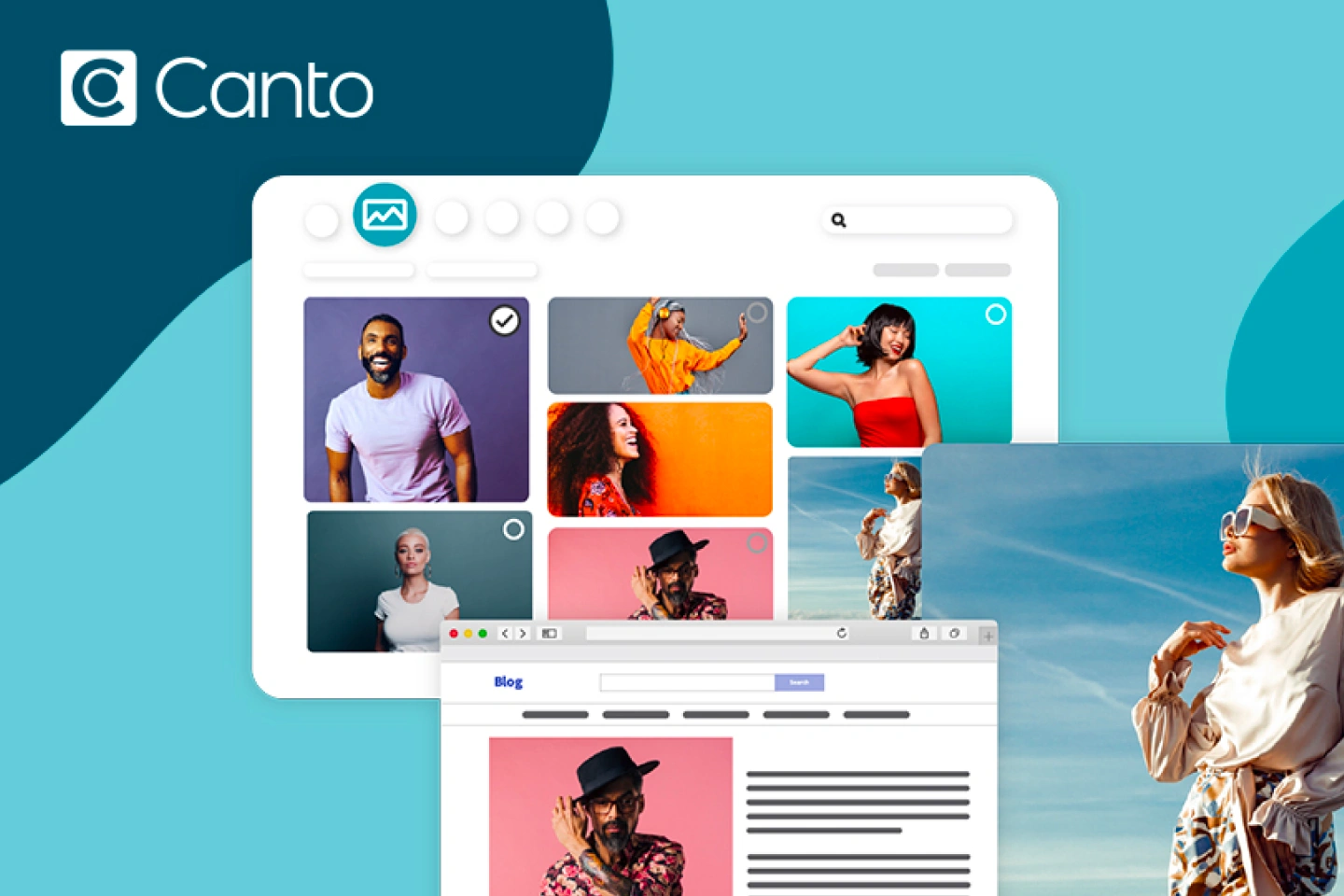 From visual search and facial recognition to customizable workflows and analytics, Canto keeps your content on-brand, on-time, and on-point.
Key Features
AI-Powered Search: Utilizes advanced AI tagging and metadata search to quickly locate assets.
Customizable Portals: Allows creation of branded portals for internal teams and external partners.
Workflow Automation: Facilitates content updates and approvals through automated workflows.
Flexible Integrations: Seamlessly integrates with tools like CMS, Canva, Adobe, and more.
Secure Storage: Provides top-tier security with customizable permissions to protect assets.
Pricing
Canto offers custom pricing based on specific business needs, and they are not publicly available online.
Pros
Intuitive interface simplifies navigation and asset management
Advanced search capabilities enhance file retrieval
Robust integration options streamline workflows
Customizable tagging and keyword system for better organization
Excellent customer support with prompt assistance
Seamless upload/download process saves time
Cons
Platform lacks flexibility for highly specific workflows or unique organizational requirements
Lack of real-time editing requires reuploading documents for changes
5. MediaValet
MediaValet is a vibrant, AI-powered digital asset management (DAM) platform built for growing teams that want speed, security, and simplicity. It centralizes all your assets, making them easy to find, share, and optimize, whether you're a global brand or a fast-moving creative team.
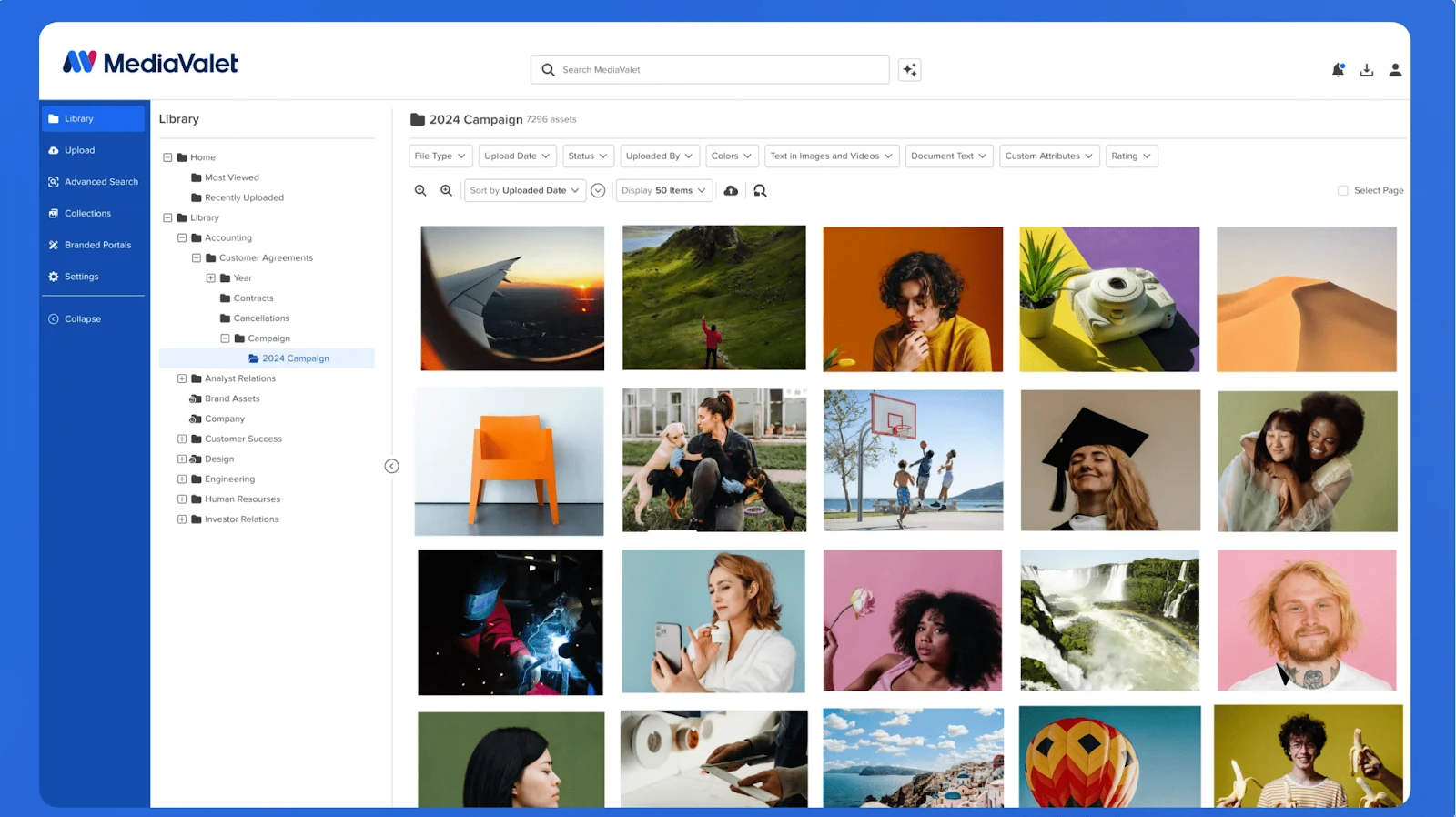 With enterprise-grade security, powerful metadata tagging, and seamless integrations, MediaValet fuels better collaboration, smarter decisions, and higher ROI, all backed by unlimited support.
Key Features
AI-Powered Search: Utilizes AI to enhance asset discoverability through intelligent tagging and search capabilities.
Branded Portals: Enables the creation of customized portals for sharing assets with internal and external stakeholders.
Unlimited Users and Groups: Supports scalability by allowing unlimited users and permission groups without additional costs.
Version Control: Maintains a history of asset versions, facilitating easy tracking and management of changes.
Robust Security: Provides enterprise-level security features to protect digital assets.
Pricing
MediaValet offers customized pricing based on storage, integration, and configuration needs. All plans include unlimited users, support, and training. Need to request for exact specifics.
Pros
Intuitive interface simplifies navigation and asset management
Unlimited users and groups support organizational scalability
Branded portals enhance asset sharing with external parties
Robust search functionality improves asset retrieval
Excellent customer support and onboarding assistance
Secure, cloud-based storage ensures asset protection
Cons
Onboarding and configuring MediaValet requires significant time and effort
The search function depends heavily on consistent metadata tagging
Platform can be slow to load and sometimes glitchy
6. Adobe Experience Manager Assets
Adobe Experience Manager Assets is a powerful AI-driven digital asset management (DAM) platform built for teams that need to scale rich, personalized experiences. From organizing millions of assets, including 3D and video, to delivering optimized content across any channel, it combines automation, governance, and insights in one sleek solution.
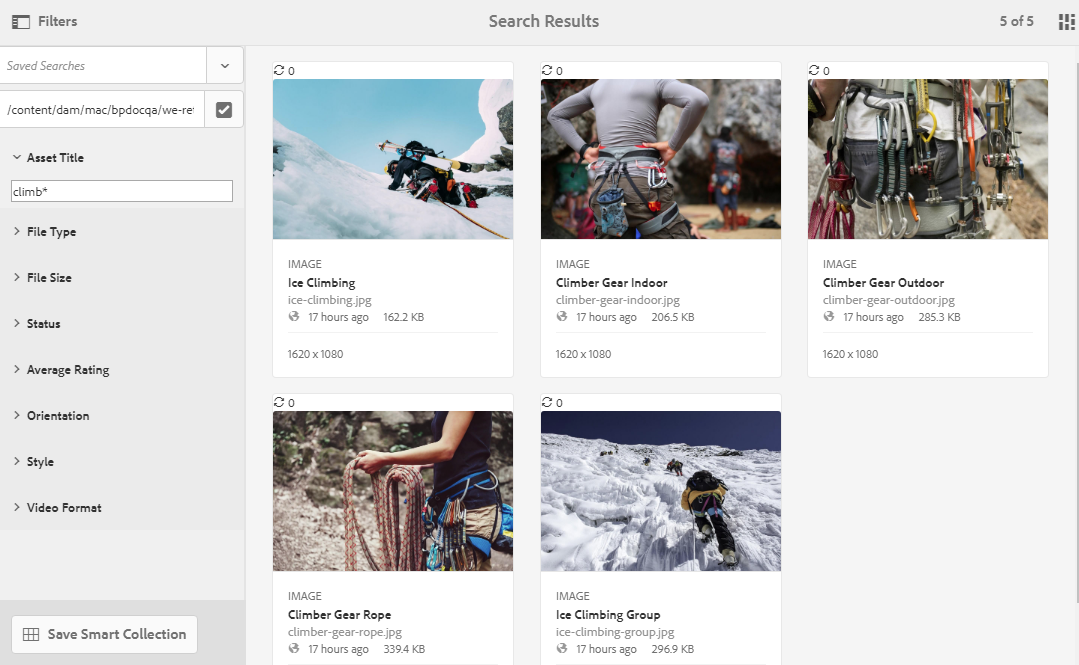 With tools like Adobe Firefly and dynamic media templates, AEM Assets helps marketers move faster, stay compliant, and make every asset work harder for the brand.
Key Features
AI-Powered Asset Management: Utilizes Adobe Sensei to automate tagging, cropping, and metadata generation, enhancing asset discoverability.
Dynamic Media Delivery: Automatically adapts and delivers optimized assets for different devices and bandwidths.
Content Hub: Provides a centralized portal for distributing approved assets to internal teams and external partners.
Advanced Governance: Offers robust permissions, digital rights management, and compliance tools to maintain brand integrity.
Seamless Integration: Integrates with Adobe Creative Cloud and other Experience Cloud applications for a unified content ecosystem.
Advanced media support: Manage millions of assets, including rich media types such as 3D and VR content.
Performance insights: Get detailed analytics and track asset usage, integrated with Adobe Analytics to measure content performance and ROI.
Pricing
Prime: A ready-to-use DAM designed for specific use cases and to get teams up and running quickly.
Ultimate: An enterprise-level DAM that provides all the functionality of Prime plus more, such as a comprehensive set of APIs.
Exact pricing details are not available publicly
Pros
Robust AI features enhance asset management efficiency
Dynamic Media ensures optimal asset delivery across channels
Content Hub simplifies asset distribution to various stakeholders
Strong integration capabilities with Adobe's ecosystem
Advanced governance tools support compliance and brand consistency
Scalable solutions suitable for large enterprises
Cons
Interface is clunky, outdated, and difficult to navigate
Requires familiarity with Adobe’s ecosystem to fully leverage its capabilities
Limited integrations with non-Adobe software
7. Extensis Portfolio
Portfolio by Extensis is a feature-rich digital asset management (DAM) software built to help teams organize, protect, and share their digital content with ease. With powerful automation, customizable workflows, and built-in integrations, Portfolio takes the hassle out of asset management.
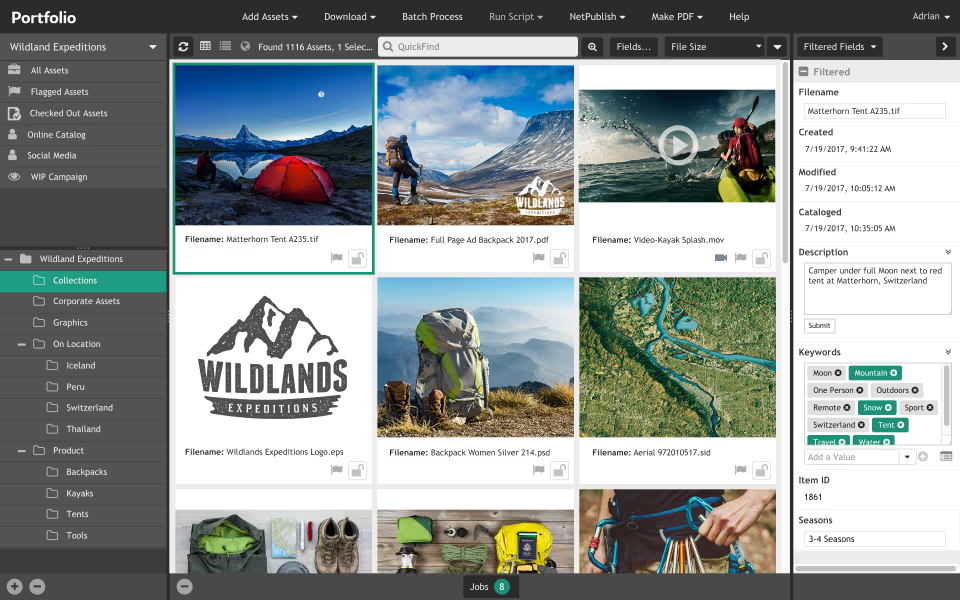 Whether you're working with images, videos, or documents, it centralizes everything in one secure, searchable hub, saving time and maximizing value across your entire organization.
Key Features
Automated Keyword Tagging: Utilizes AI to automatically tag assets, improving searchability.
Customizable Metadata Fields: Allows users to define and manage metadata to suit specific organizational needs.
Secure Sharing Options: Provides secure methods for sharing assets with team members and external partners.
Flexible Deployment: Supports both on-premise and cloud deployments, catering to various IT infrastructures.
Integration Capabilities: Offers integrations with Adobe Creative Cloud and other tools to streamline workflows.
Pricing
Connect ($12.50/mo/user): Includes font license management, asset editing/sharing, Adobe & Google Fonts integration, SSO, and 100GB storage.
Connect + Insight ($16.67/mo/user): Adds project and font risk scanning, 1TB storage, and advanced risk management tools.
Pros
Efficient asset organization with automated tagging
Customizable metadata enhances asset management
Secure sharing options for internal and external stakeholders
Flexible deployment to suit various IT environments
Integration with popular creative tools
Perpetual licensing offers long-term value.
Cons
Bulk uploads of large files or legacy assets can be time-consuming
Sharing folder paths or jumping to specific directories is not intuitive
Requires manual downloads for client updates instead of automatic notifications
8. Filecamp
Filecamp is a cloud-based Digital Asset Management (DAM) platform that enables easy storage, organization, and sharing of digital assets. It offers a user-friendly interface, customizable branding, and secure access controls, making it ideal for businesses looking to streamline file management.
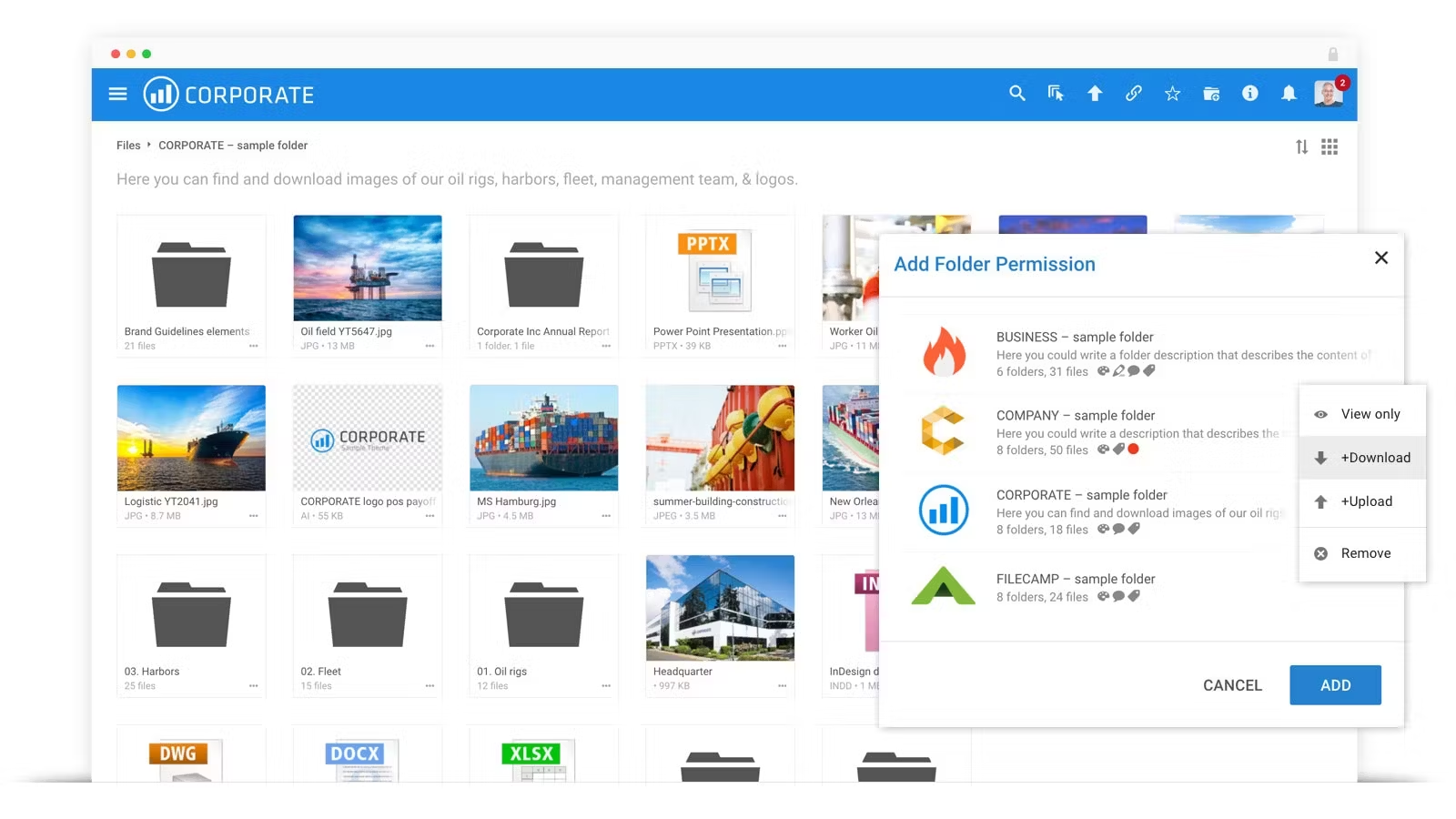 With no extra cost for additional users, Filecamp enhances collaboration and productivity, ensuring quick and efficient access to files anytime, anywhere.
Key Features
Custom Branding: Whitelabel the platform with your logo, color scheme, and background image for a personalized experience.
Granular Access Control: Manage folder permissions to control access for both internal teams and external clients.
File Approval and Commenting: Approve or reject files, leave annotations, and track project progress with online comments.
Unlimited Users: Add as many users as needed with no extra cost, perfect for teams of any size.
Advanced Search and Auto-Tagging: Easily find assets with powerful search tools and auto-tagging features.
Mobile-Friendly Interface: Access, upload, and share files from any device with Filecamp’s mobile-optimized platform.
Top-Notch Security: Secure your assets with HTTPS and 24/7 server monitoring for peace of mind.
Pricing
Basic: $29/month – 20 GB storage, custom branding.
Advanced: $59/month – 50 GB storage, auto tags, collections.
Professional: $89/month – 100 GB storage, white labeling, commenting, custom domain.
All plans include unlimited users and free bandwidth.
Pros
Affordable pricing with features rivaling higher-priced DAMs
Unlimited users across all plans
Highly customizable branding options
User-friendly interface requiring minimal training
Efficient online proofing and approval workflows
Responsive customer support
Cons
Basic search functions struggle with large asset volumes and lacks smart filters
Automatic notifications lack customization, and workflows are not advanced
Users must save files locally before uploading
9. Cloudinary
Cloudinary is an AI-powered digital asset management (DAM) platform designed for visual storytelling. It provides end-to-end asset lifecycle automation, leveraging advanced AI and GenAI features for efficient asset repurposing.
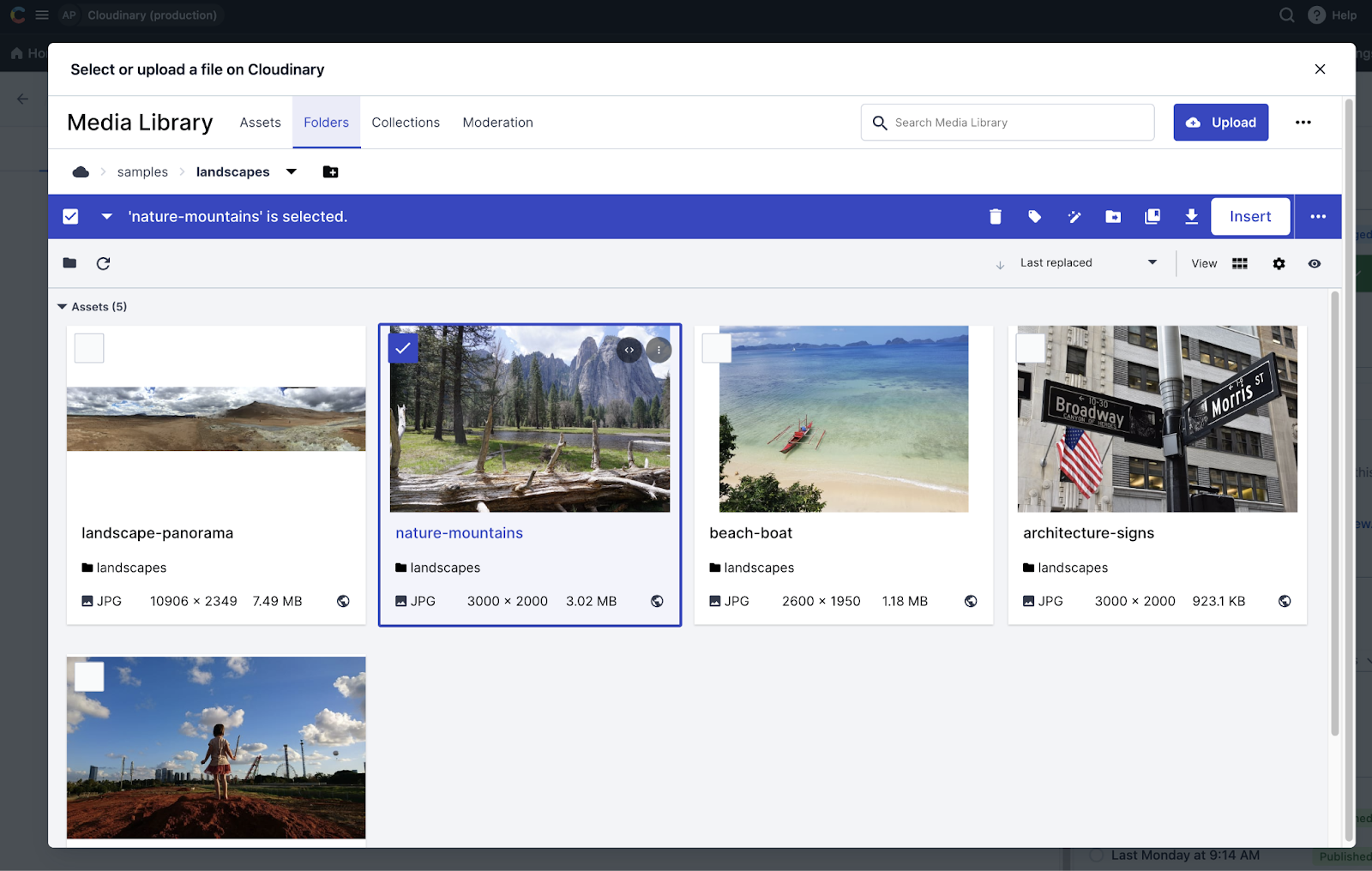 Recognized as a leader in the DAM market, Cloudinary integrates seamlessly with various systems, offering powerful tools for asset transformation, optimization, and management across channels.
Key Features
AI-driven metadata and tagging: Organize and enhance asset discoverability through automated tagging and metadata management.
Asset transformation and customization: Generate endless variations of images and videos using GenAI automation for cross-channel personalization.
Optimized omnichannel delivery: Ensure assets are delivered in the perfect format, size, and crop, improving performance across devices.
Prebuilt integrations and APIs: Connect with top-tier systems via integrations and APIs, supporting composable architectures.
Automated workflows: Streamline asset management processes with prebuilt templates for tasks like branding standardization and asset expiration management.
Pricing
Free Plan: $0, includes 3 users, 1 account, and 25GB storage, with AI-powered auto-tagging and video support.
Custom Plans: Tailored to meet enterprise needs, offering advanced collaboration tools and content transformation features.
Pros
Real-time media transformations enhance performance and user experience
AI-driven tagging streamlines asset organization
Robust APIs facilitate seamless integration into existing workflows
Responsive customer support ensures quick issue resolution
Scalable solutions cater to businesses of all sizes
Cons
Cloudinary’s documentation is convoluted and difficult to navigate
Platform follows a standardized approach that may not fit specialized business processes
Implementing and maximizing Cloudinary’s capabilities often demands developer skills
10. Wedia
Wedia offers a comprehensive Digital Asset Management (DAM) solution designed to help businesses store, organize, and share digital content securely. With a focus on marketing teams, Wedia ensures brand consistency, streamlines workflows, and enhances collaboration.
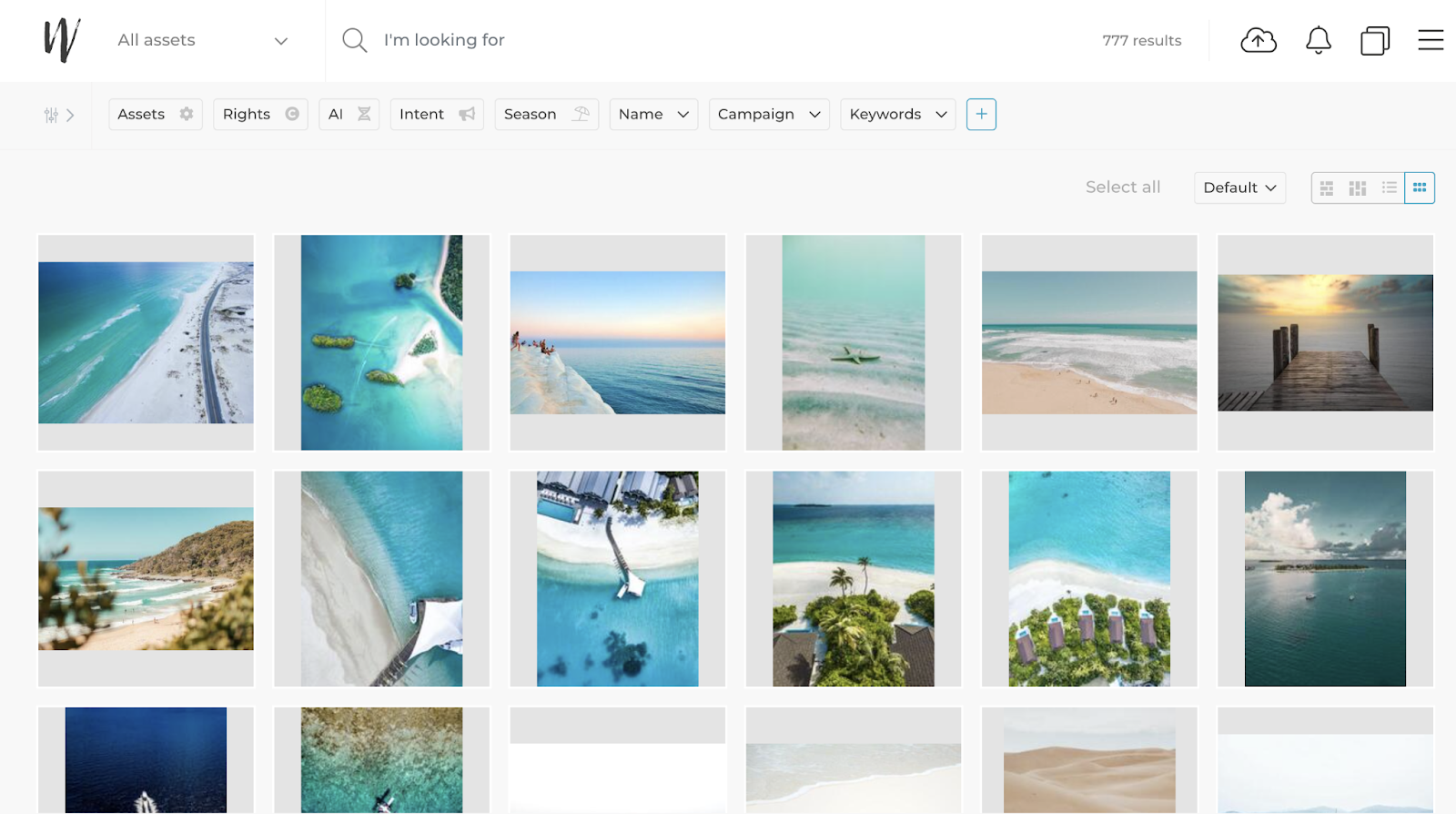 Its advanced AI capabilities and integration with creative tools make asset management efficient and scalable, empowering organizations to optimize content delivery across channels.
Key Features
Centralized Asset Storage: Securely store, organize, and share digital assets from a single platform.
Collaboration Tools: Facilitate seamless teamwork with built-in workflows for marketing, creative, and IT teams.
AI-Powered Tagging and Search: Automatically tag and search assets using advanced AI technology.
Brand Consistency: Maintain consistent brand messaging with controlled access and customizable permissions.
Creative Workflow Integration: Integrate with tools like Adobe Creative Suite, Figma, and Canva for enhanced content creation.
Multilingual Capabilities: Manage and localize content for global campaigns efficiently. Localizing a global campaign also means translating the briefs, captions, and approval notes attached to each asset. Tools like Lara Translate handles that part.
Legal Compliance: Ensure proper use of content with automated compliance checks and usage rights management.
Pricing
Wedia offers customized pricing based on organizational needs. Exact figures are not publicly available online.
Pros
Highly customizable to fit complex organizational structures
Scalable solution capable of handling millions of assets
Advanced AI features enhance asset management efficiency
Strong integration capabilities with existing tech stacks
Comprehensive analytics for informed decision-making
Dedicated support and onboarding for enterprise clients
Cons
Platform is slow when processing large volumes of assets
Extensive features and customization options can overwhelm new users
Customizations often require vendor involvement
10 Tips for Maximizing Your Digital Asset Management Software
1. Establish a Clear Folder Structure and Taxonomy
The foundation of an effective Digital Asset Management (DAM) system begins with an organized folder structure. Without this, finding assets can become a time-consuming task. Create a clear hierarchy and ensure that your team follows consistent naming conventions for all files.
Consider adding metadata like campaign names, dates, or product types for easy searchability. This way, even if team members are not familiar with an asset, they can quickly search for and locate it using relevant terms.
Use an Image Converter or RAW Converter to transform your assets into the desired format quickly as you work through your folder structure. These tools will simplify file format management for different uses.
2. Leverage Review & Approval Tools for Streamlined Feedback
DAM software often comes with review and approval features that let stakeholders give feedback on assets directly within the system. This removes the need for emails and external tools, improving collaboration efficiency.
Set up a streamlined approval workflow so that all team members or clients can review assets in real-time. With these tools, you can track who has reviewed and approved each version, ensuring nothing slips through the cracks.
Review & Approvals tools are ideal for collecting feedback and approvals from multiple team members or clients. With Picflow’s built-in review system, you can simplify the entire approval process, eliminating confusion and ensuring timely approvals.
3. Utilize Creative Workflow Tools to Streamline Production
With DAM systems, creative teams can use workflow tools that help keep projects on track. From asset creation to approval, workflow features allow you to assign tasks, set deadlines, and track progress.
Use workflow templates or automation tools to reduce the time spent managing tasks. These tools can be customized to your business’s needs and will streamline the creative process.
These Creative Workflow features integrate seamlessly with DAM software, allowing your team to stay organized and work more efficiently through tasks and milestones.
4. Implement Access Control for Security and Efficiency
Not all team members need access to all assets. Setting up user roles and permissions ensures that only authorized personnel can access or edit certain files.
Regularly audit access levels to ensure that permissions are aligned with current roles within your team. This reduces the risk of unauthorized changes or accidental deletions.
With Embed Gallery and Gallery Widget features, you can control which galleries or assets are shared with specific team members or external collaborators, ensuring that only the right people see the content.
5. Take Advantage of Free Tools to Enhance Your Workflow
Many DAM platforms come with free tools that can improve your team’s productivity. Whether it’s basic image editing, file conversion, or simple asset categorization, these tools are valuable for day-to-day operations.
Regularly review and take advantage of these free tools. They can help with tasks like resizing images, converting formats, or quickly preparing files for use.
Free Tools like an Image Converter can save you from having to use external programs, helping streamline the asset preparation process for different formats or sizes.
6. Enable Asset Sharing for Better Collaboration Across Teams
DAM software makes it easy to share assets, whether within your team or with clients. You can provide easy access to documents, videos, or images with just a few clicks, making collaboration simpler and faster.
Use asset sharing features to keep your team on the same page. Organize assets into galleries that are easy to share and update.
The Gallery Widget allows you to display and share assets in an intuitive, organized gallery. Clients can access and view the assets you want them to see, creating an easy, seamless sharing experience.
7. Maintain Your DAM System with Regular Backups
Regular backups are essential for protecting your assets from loss. Use your DAM system's automated backup features to ensure that your files are consistently updated and securely stored.
Schedule regular backups and perform periodic reviews of your digital library to remove outdated or unnecessary files. This will optimize performance and reduce clutter.
Use Picflow’s free tools for quick conversion and backup of high-quality files, ensuring that you retain the best versions of your images, even in raw formats.
8. Create an Online Gallery for Easy Viewing and Sharing
Organize your digital assets in visually appealing, easy-to-navigate online galleries. These galleries allow both internal team members and clients to view and provide feedback on assets with ease.
Use your DAM's gallery tools to create visually organized collections for specific projects, campaigns, or clients. You can showcase assets in a user-friendly format that facilitates collaboration.
The Online Gallery feature enables you to share high-quality images or other assets with clients, making it easy for them to review and approve content in one place.
9. Optimize Asset Searchability with Metadata and Tagging
Maximizing the searchability of your digital assets is one of the easiest ways to improve productivity. By tagging assets with relevant metadata (keywords, categories, descriptions), your team can quickly locate files without having to search through folders manually.
Adopt a tagging strategy across your entire organization. Be consistent with how you categorize your assets to ensure that everyone can easily find what they need.
Tag assets within your DAM system, and ensure that your team is using tags like Real Estate for images, videos, or documents related to property or location. This improves searchability and helps organize your content based on key attributes.
10. Use the Feature Index for Advanced Asset Management
Some DAM platforms include a Feature Index, which helps you keep track of the advanced capabilities available within your software. This tool helps you make the most of the features offered, from basic file storage to more advanced functions like analytics, image management, and integrations.
Review your Feature Index regularly to discover new tools and ensure that you are using your DAM system to its fullest potential.
With the Feature Index, you can stay informed on the most advanced and latest tools, making it easier to adapt to new functions and improving your asset management capabilities.
Streamline Your Creative Workflow with Picflow
When it comes to digital asset management, choosing the right software can make all the difference. Whether you need speed, branding, collaboration, or scalability, Picflow offers a perfect blend of style and efficiency for creative professionals.
Picflow’s modern platform delivers fast uploads, stunning branded galleries, flexible review options, and a seamless user experience. Designed for photographers, marketers, and designers, it helps you stay agile without compromising on quality. Plus, with advanced proofing tools and customizable workflows, you can simplify client approvals and keep projects moving smoothly.
Ready to level up your creative workflow? Try Picflow free today!
:quality(75))